
How to Categorize Transactions and Fix Miscategorized Ones
Categorize transactions in WealthMode for accurate budget tracking: fix miscategorized items, create custom categories, and see where your money actually goes.
WealthMode does a lot of the categorization work for you — most transactions get assigned a category automatically the moment they come in. But automatic does not mean perfect, and the accuracy of your categories directly determines the quality of your budget data. A few minutes spent getting categories right is one of the highest-leverage habits you can build in personal finance.
This guide walks you through how auto-categorization works, how to fix transactions that land in the wrong bucket, and how to build a category structure that gives you genuinely useful spending insights.
Why Transaction Categories Matter
Categories are the backbone of budget tracking in WealthMode. Every budget you create is tied to a category, and WealthMode compares your spending in that category against your limit to tell you where you stand. If a transaction ends up in the wrong category, it distorts that picture — your Groceries budget looks fine while your Dining Out budget appears overspent, even though the problem is really that a restaurant charge got filed under the wrong label.
Beyond budget accuracy, categories reveal patterns that are easy to miss when you look at transactions one by one. Seeing your total Dining Out spend for the month as a single number — rather than scanning through dozens of individual charges — is what prompts the “I had no idea I was spending that much” moment that actually changes behavior.
Understanding fixed vs variable expenses can also help you choose categories that are meaningful for your situation. A category like Transportation might make sense if your commute costs are predictable, but splitting it into Gas and Rideshare might be more useful if one of those is variable and you want to track it against a limit.
How WealthMode Auto-Categorizes Transactions
When a new transaction arrives, WealthMode examines the merchant name and assigns a category based on that data. Most major retailers, restaurant chains, subscription services, and utilities are recognized automatically. Common auto-assigned categories include:
- Groceries — supermarkets and grocery chains
- Dining Out — restaurants, cafes, and food delivery services
- Transportation — gas stations, ride-sharing apps, parking
- Shopping — retail stores and online retailers
- Utilities — electricity, water, internet, and phone bills
- Entertainment — streaming services, movie theaters, events
- Health — pharmacies, medical offices, and fitness memberships
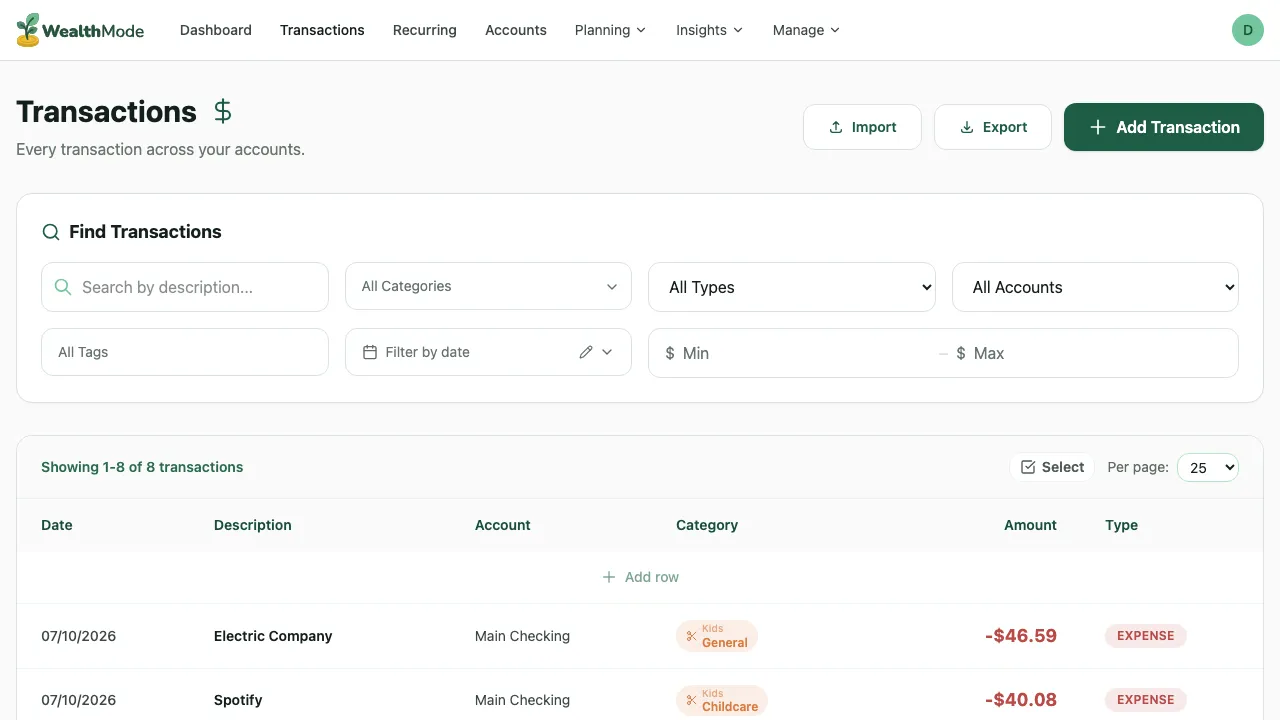
Some transactions require manual attention. Generic merchant names (like “SQ ” or “TST”), bank transfers, peer-to-peer payments, and cash withdrawals often cannot be categorized automatically. These typically appear as “Uncategorized” or get assigned a generic fallback like “Other.” Reviewing these regularly keeps your data clean.
How to Re-Categorize a Transaction
Fixing a miscategorized transaction takes about ten seconds. Here is the process.
Step 1 — Find the transaction in the Transactions list
Open the Transactions page. If you have a lot of transactions, use the search field to look up the merchant name, or use the date and account filters to narrow the list to the right time period.
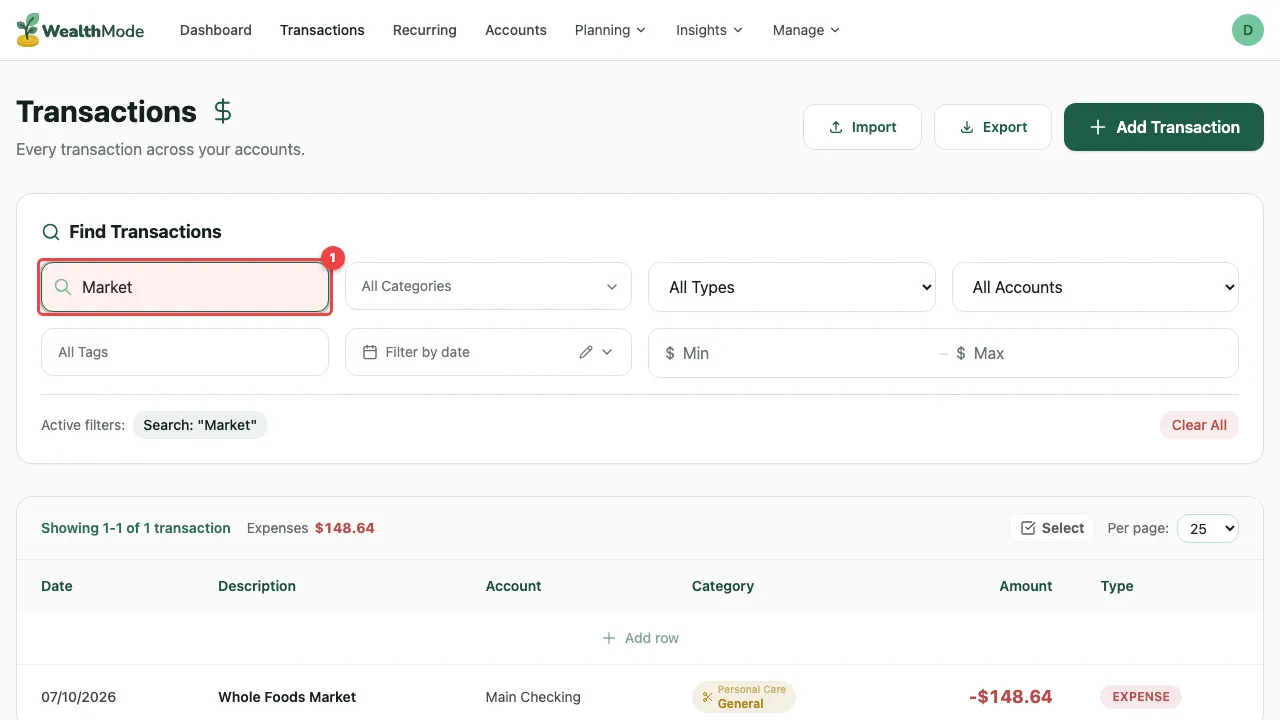
Step 2 — Click the transaction to open details
Click anywhere on the transaction row to open its detail view. This shows the full merchant name, the transaction amount, the date, the account it came from, and the category currently assigned to it.
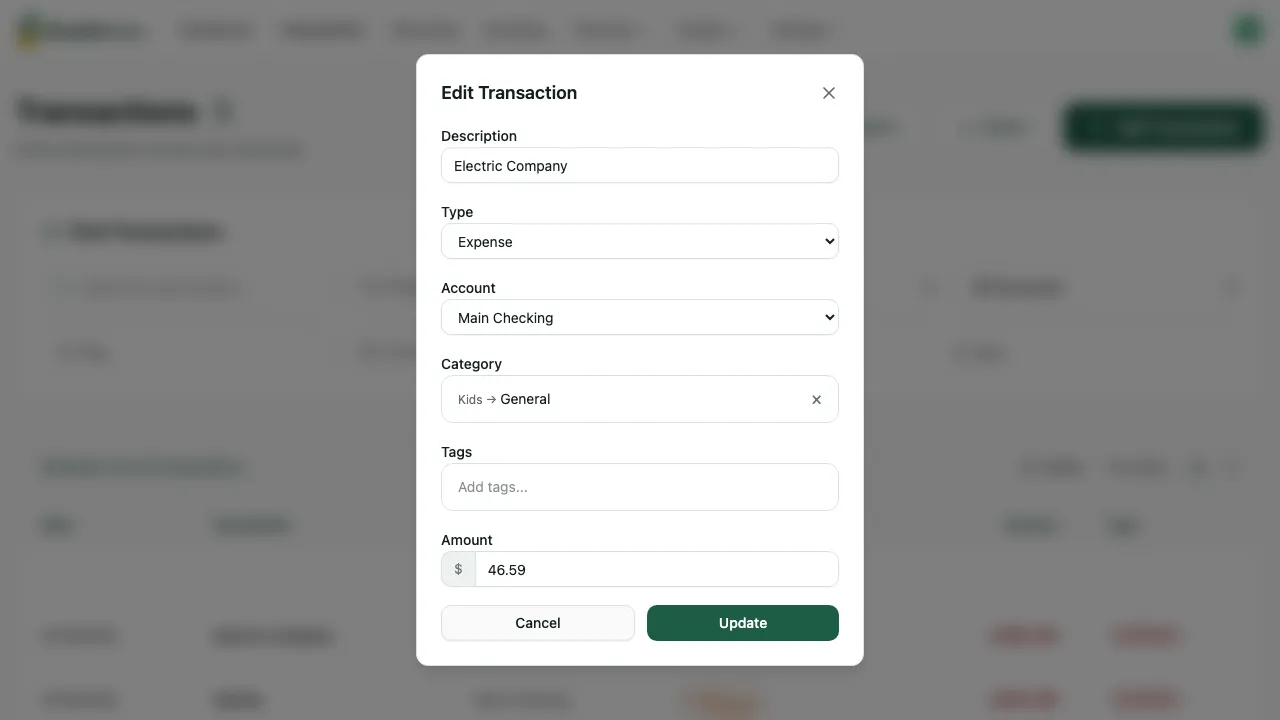
Step 3 — Select the correct category
Click the category field or the edit icon next to it. A dropdown or picker will appear showing all available categories. Select the correct one.
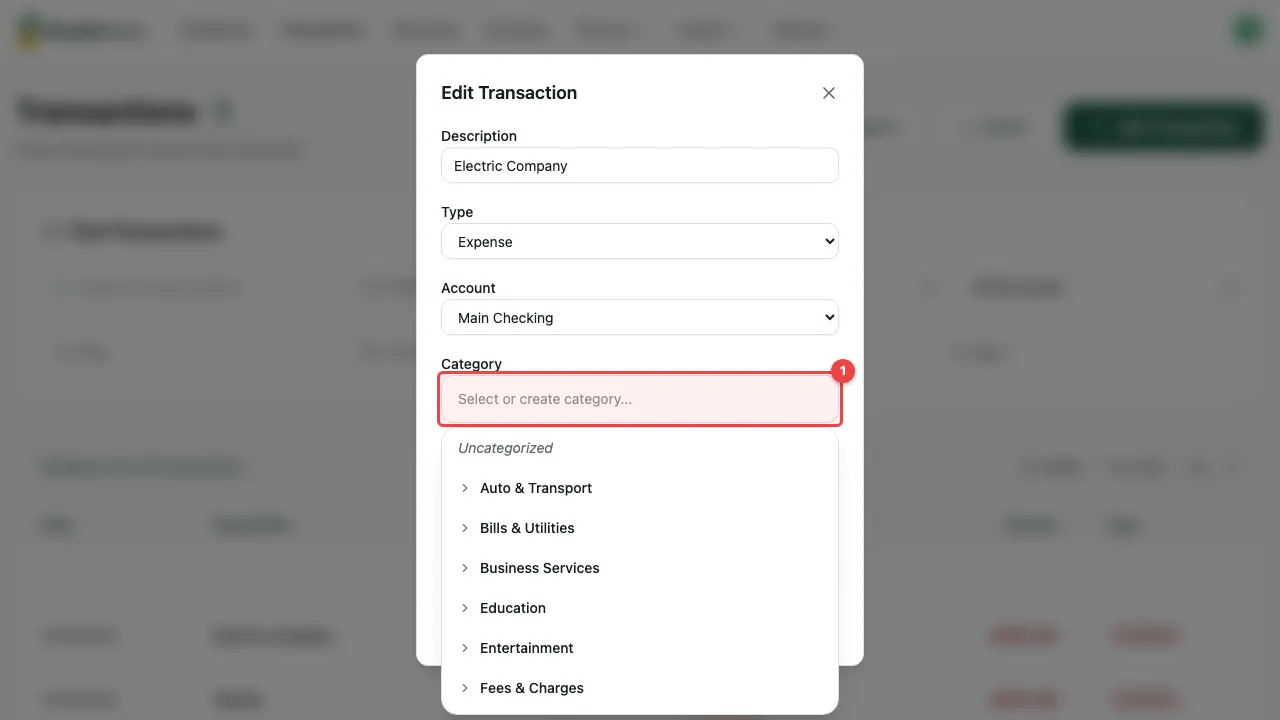
Step 4 — Save your change
Confirm the selection. WealthMode saves the change immediately and updates your budget totals to reflect the corrected category.
One thing worth knowing: WealthMode learns from your corrections. Categorize a merchant once and future transactions from that same merchant will use the updated category. You fix it once, and it stays fixed.
Tips for Better Categorization
Getting value from categories is not just about fixing individual mistakes — it is about building a consistent structure that holds up over time.
Review uncategorized transactions weekly. Set aside a few minutes at the start or end of each week to catch any transactions that came in without a category. Weekly reviews keep the backlog small. Waiting until the end of the month means sorting through a much longer list.
Be consistent with naming. If you use “Dining Out” as your category for restaurants, do not also create “Restaurants” or “Food” for the same type of spending. Splitting the same type of expense across multiple categories makes it impossible to see your true total. Pick one name and stick with it.
Do not over-categorize. It is tempting to create a category for every type of spending imaginable, but the more categories you have, the harder it is to maintain them accurately. Ten to fifteen categories is enough for most people. A clear, manageable list is more useful than a granular one that requires constant decision-making.
Match your categories to your budgets. If you have created a budget for a specific spending area, make sure there is a matching category — and that you consistently categorize transactions under it. Set up your budget categories to mirror the transaction categories you actually use. Mismatches between your budgets and your categories leave spending invisible to your tracking.
Handle transfers and income separately. Transfers between your own accounts are not expenses and should not count against any budget. Make sure these are categorized as transfers rather than as spending. The same goes for income — salary deposits, freelance payments, and refunds should be correctly classified so they do not inflate your spending totals.
Clean Categories, Clear Picture
Accurate categories lead to accurate budgets, and accurate budgets lead to decisions you can actually trust. When you sit down to review your finances and the numbers reflect reality — not a jumble of misassigned charges — it becomes much easier to see where you are on track and where you need to adjust.
Spend a few minutes each week reviewing your transactions, and your budget data will give you a clear, honest picture of where your money is going. That clarity is what makes it possible to improve.