
How to Track Savings Goals in wealthmode
Set up and track savings goals in wealthmode — from emergency funds to vacation savings — and watch your progress grow with visual tracking and smart automation tips.
Saving money without a specific goal is like driving without a destination. You might move forward, but you have no way of knowing when you have arrived — or whether you are even headed the right way. A named, tangible goal changes everything. It gives your saving a purpose, a timeline, and a finish line worth crossing.
wealthmode lets you create savings goals, attach a target amount and date, link them to your accounts, and track progress visually over time. Whether you are building an emergency fund or setting aside money for a vacation, this guide walks you through the full process.
Why Savings Goals Work
Behavioral research consistently shows that specific goals outperform vague intentions. “Save $5,000 for an emergency fund by December” is far more actionable than “save more money.” A concrete target tells your brain what success looks like, which makes it easier to stay on track during months when spending temptations are high.
Visual progress reinforces that momentum. Watching a progress bar move from 20% to 40% feels rewarding in a way that a raw bank account balance simply does not. It is the same reason fitness apps show streaks and step counts — small wins keep you going.
Multiple goals also help you prioritize. It is much easier to decide how to allocate a windfall — a tax refund, a bonus, a side-hustle payment — when you can see all of your goals side by side and compare how far along each one is.
Not sure what to save for first? Start with an emergency fund — it is the single most important financial buffer you can build.
How to Set Up a Savings Goal in wealthmode
Step 1 — Navigate to Savings Goals
Open wealthmode and look for the Savings Goals section in the main navigation. On desktop, it appears in the left sidebar. On mobile, you will find it in the bottom navigation bar or the main menu.
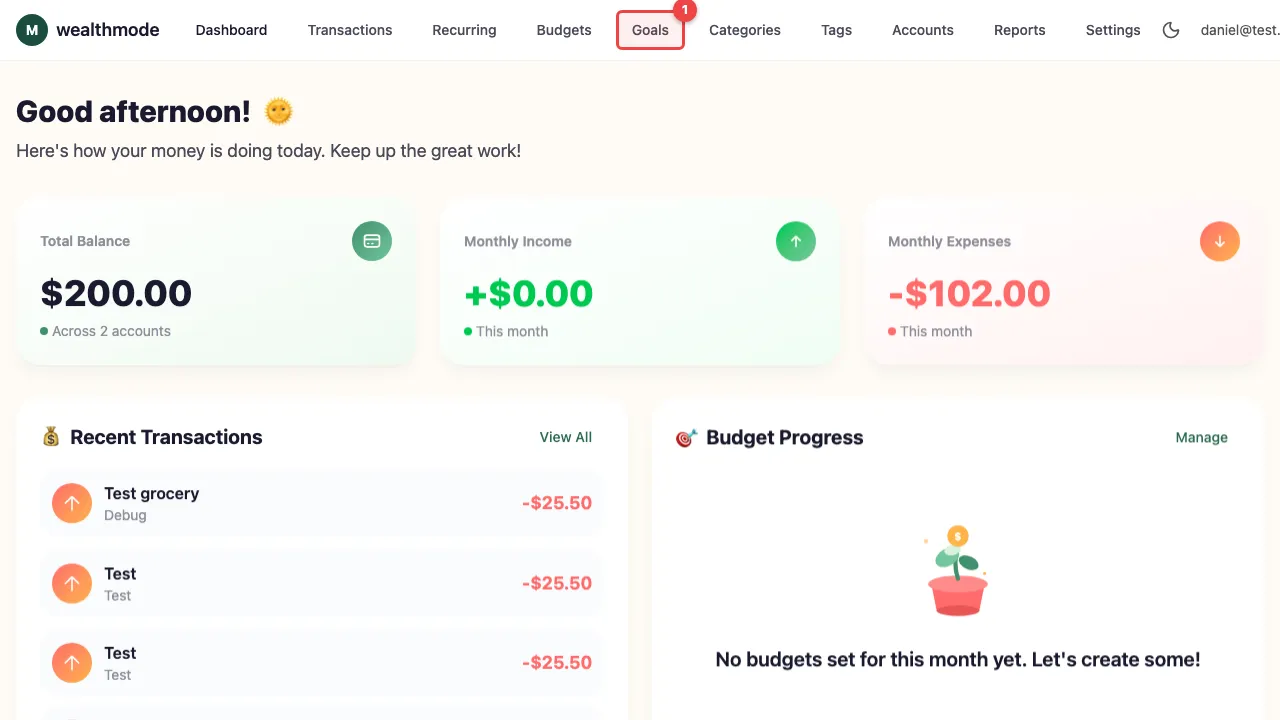
Once you are on the Savings Goals page, you will see any existing goals listed here. If this is your first time, the page will prompt you to create one.
Step 2 — Create a New Goal
Click Create Goal (or the ”+” button) to open the goal creation form. Fill in the following:
- Goal name — Use something specific and personal. “Emergency Fund,” “Paris Trip 2027,” or “New Laptop” are all better than “Savings Goal 1.”
- Target amount — The dollar amount you are working toward. If you are building an emergency fund, aim for three to six months of essential expenses. If you are unsure, you can always adjust this later.
- Target date (optional) — Setting a deadline gives you a built-in monthly savings rate to aim for. Leave it blank if the goal is open-ended.
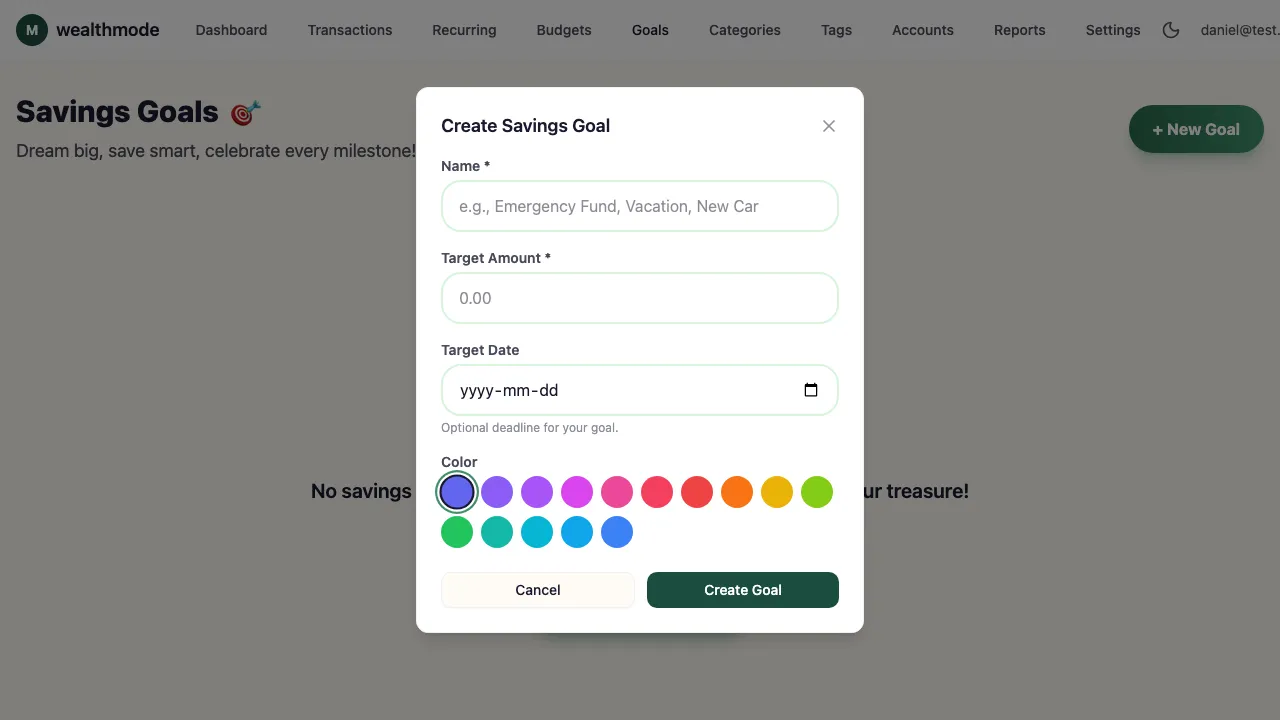
Click Save when you are done. Your goal will appear on the Savings Goals page immediately.
Step 3 — Link It to a Savings Account (Optional)
Linking a goal to a specific account lets wealthmode track your progress automatically based on the account balance, rather than requiring you to log contributions manually. This is especially useful for dedicated savings accounts — like a high-yield savings account you use only for your emergency fund.
In the goal settings, look for the Linked Account dropdown and select the account you want to connect.
If you do not have a dedicated account for this goal, you can skip this step. You can always come back and link an account later, or log manual contributions to track progress.
Step 4 — Track Your Progress
Once your goal is set up, return to the Savings Goals page anytime to check in. Each goal displays:
- A visual progress bar showing how close you are to your target
- The amount saved and the target amount (for example, $2,000 of $5,000)
- An estimated completion date based on your recent contribution pace (shown when a target date or linked account is configured)
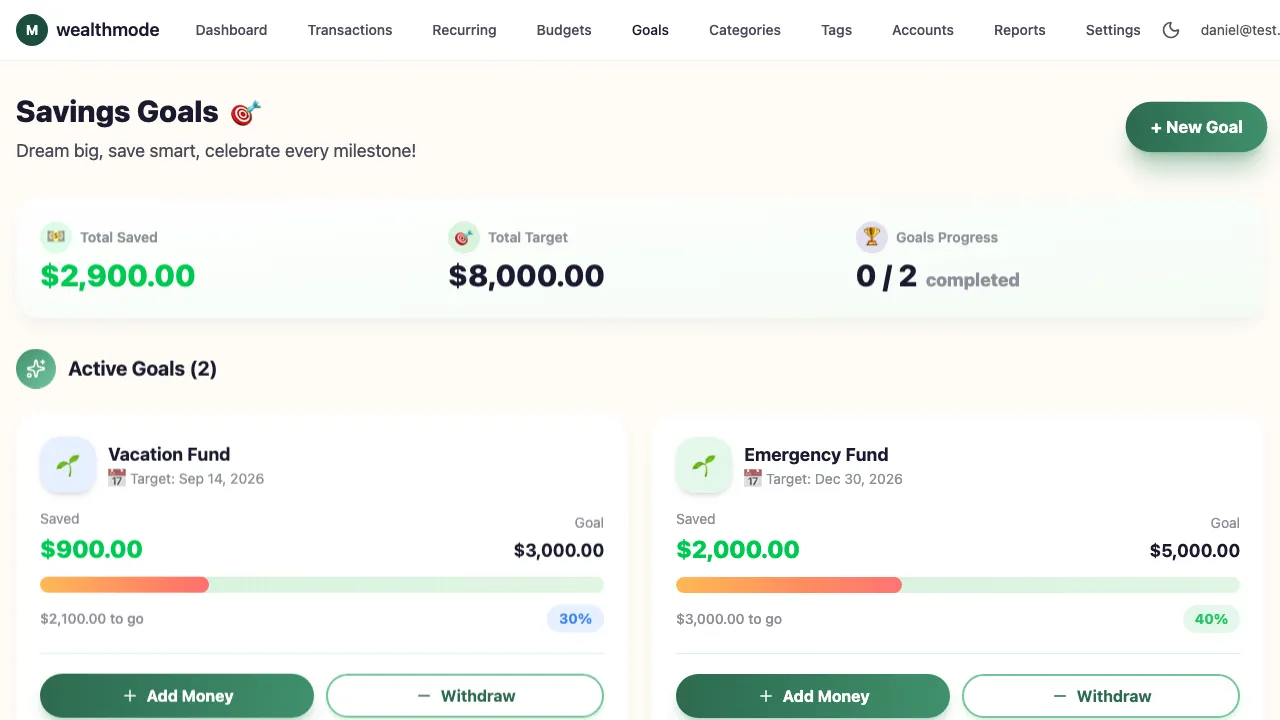
Checking your goals regularly — even just once a month — keeps them front of mind and helps you catch early if you are falling behind on your timeline.
Tips for Reaching Your Savings Goals
Automate your contributions. Decide on a monthly amount and set it up as an automatic transfer on payday. When the money moves before you can spend it, you remove the decision entirely. See the full guide to automate your savings for step-by-step instructions.
Start with one goal. It is tempting to create a goal for everything at once, but spreading your savings too thin can slow progress and make all of your goals feel stalled. Pick the most important one — typically an emergency fund — and build momentum there before adding others.
Celebrate milestones. Mark 25%, 50%, and 75% completion. You do not need to spend money to celebrate — acknowledging the progress itself is enough to reinforce the habit. Some people write it down, some share it with a partner or friend. Find what keeps you motivated.
Revisit and adjust when life changes. A promotion, a new expense, a change in plans — all of these are valid reasons to update your goal’s target amount or target date. A goal that reflects your current reality is far more useful than one you set and forgot.
Suggested Savings Goals to Start With
If you are not sure which goals to create first, here are some of the most common and most impactful:
- Emergency fund — Three to six months of essential living expenses. This is the foundation of financial stability. If you do not have one yet, make it your first goal.
- Vacation fund — Set aside a small amount each month so that travel does not land on a credit card. Even $50 a month adds up to $600 a year.
- New car or down payment — Large purchases become manageable when you plan for them months or years in advance.
- Holiday gifts — One of the most overlooked savings goals. If you put aside $50 to $100 per month from January through November, you will arrive at December with a fully funded gift budget and no credit card hangover.
- Home repairs — If you own a home, a dedicated maintenance fund prevents emergencies from derailing your other goals.
For more ideas and strategies on cutting expenses to fund these goals, see our guide on money-saving strategies.
Start Tracking Today
You do not need a large amount to begin. Even setting a $500 emergency fund goal and saving $25 a week gives you something concrete to work toward — and watching that progress bar fill up is surprisingly motivating once you start.
Open wealthmode, create your first savings goal, and set a monthly contribution amount you can commit to. The earlier you start, the less effort each month requires. Small, consistent steps compound into real financial security over time.